BridgeBee · 연동비서
A local bridge that connects AI tools to many services
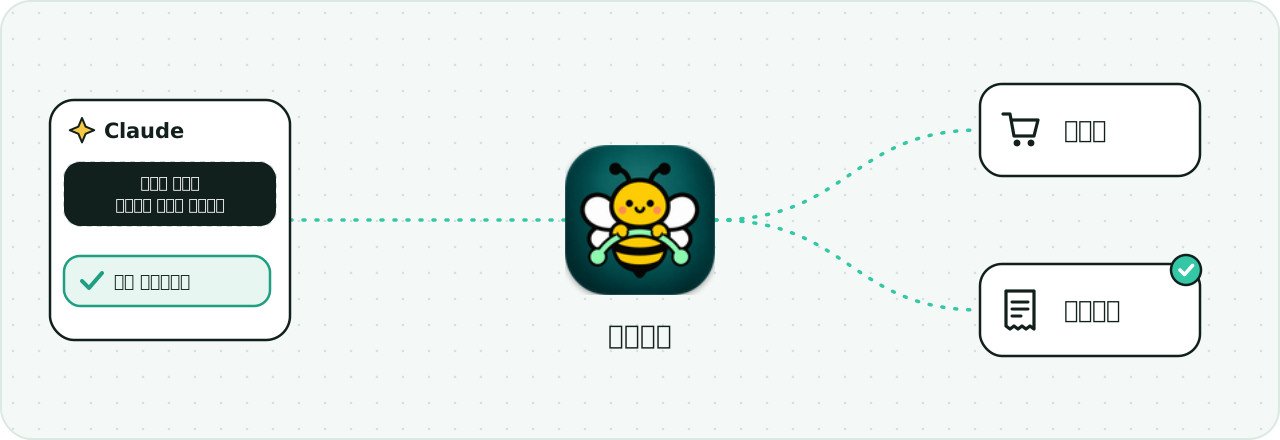
One small server on your own PC links AI tools like Claude and Codex to your shops and ERP. One endpoint (/mcp), and you manage the connections in a UI.
What it does
- A local MCP hub — instead of configuring each service separately, your AI tool points at one /mcp address on your PC.
- Visible bridges — each connection to a service is a “bridge”, with its own tab in the app window showing its status and settings.
- An in-app AI chat panel — it uses the Claude Code or Codex login you already have, so BridgeBee charges nothing extra. The chat panel exposes no write tools.
- Read-only by default — reading is the default; writing only opens when you switch it on.
- Data stays on your PC — the server runs on 127.0.0.1 and reaches each service directly from this PC, with no relay server in between.
Services you can connect today
Every bridge uses only the official API the service itself publishes. The status below is stated as it is.
Imweb Online shop · read-only
Query orders, products, members and product inquiries, combine several sites, mask phone numbers and e-mail by default.
Status · Checked against a mock Imweb server. Not yet tried against the real Imweb.
Naver SmartStore Marketplace · read-only
Query products, orders, settlements and inquiries through the Naver Commerce API, combine several stores.
Status · Checked against a mock server, and on 2026-11-08 the real Commerce API connection and five kinds of queries returned normal responses. The store we tried had no data, so the real row shapes are not yet confirmed.
ECOUNT ERP · accounting · slip entry
Sales, order, quotation and purchase slips, plus customer and item registration. Writing must be switched on; the default is a preview (dry-run) and saving needs confirmation.
Status · Checked against a mock ECOUNT server. Not yet called with a real ECOUNT account or API key.
The desktop app has been confirmed to run on macOS (Apple Silicon). Windows has not yet been built or run.
Plugins — your own bridge
Anyone can write a plugin and add their own bridge. The core carries only official-API bridges; everything else is added as a plugin. The first official example plugin looks up Korean statutes from the Ministry of Government Legislation (coming soon).
Going forward the aim is to go beyond ERP: visually connecting any API or MCP. That is a direction, not something shipped today.
Open source and downloads
The code will be released under the Apache-2.0 license. The repository and downloads are not open yet.
- GitHub repository (teracokr/bridgebee)Coming soon
- DownloadIn preparation
Security principles
- The server listens only inside this PC (127.0.0.1). It is not exposed outside.
- The admin token for the app UI and the MCP token for AI tools are separate. The MCP token cannot change settings or switch writing on.
- Logins and API keys are stored encrypted on this PC, and tokens are kept out of the logs.
- Personal data such as phone numbers and e-mail is masked by default.
- Writing is off by default, and even when on it goes through preview → confirm. The in-app chat is given no write tools.